
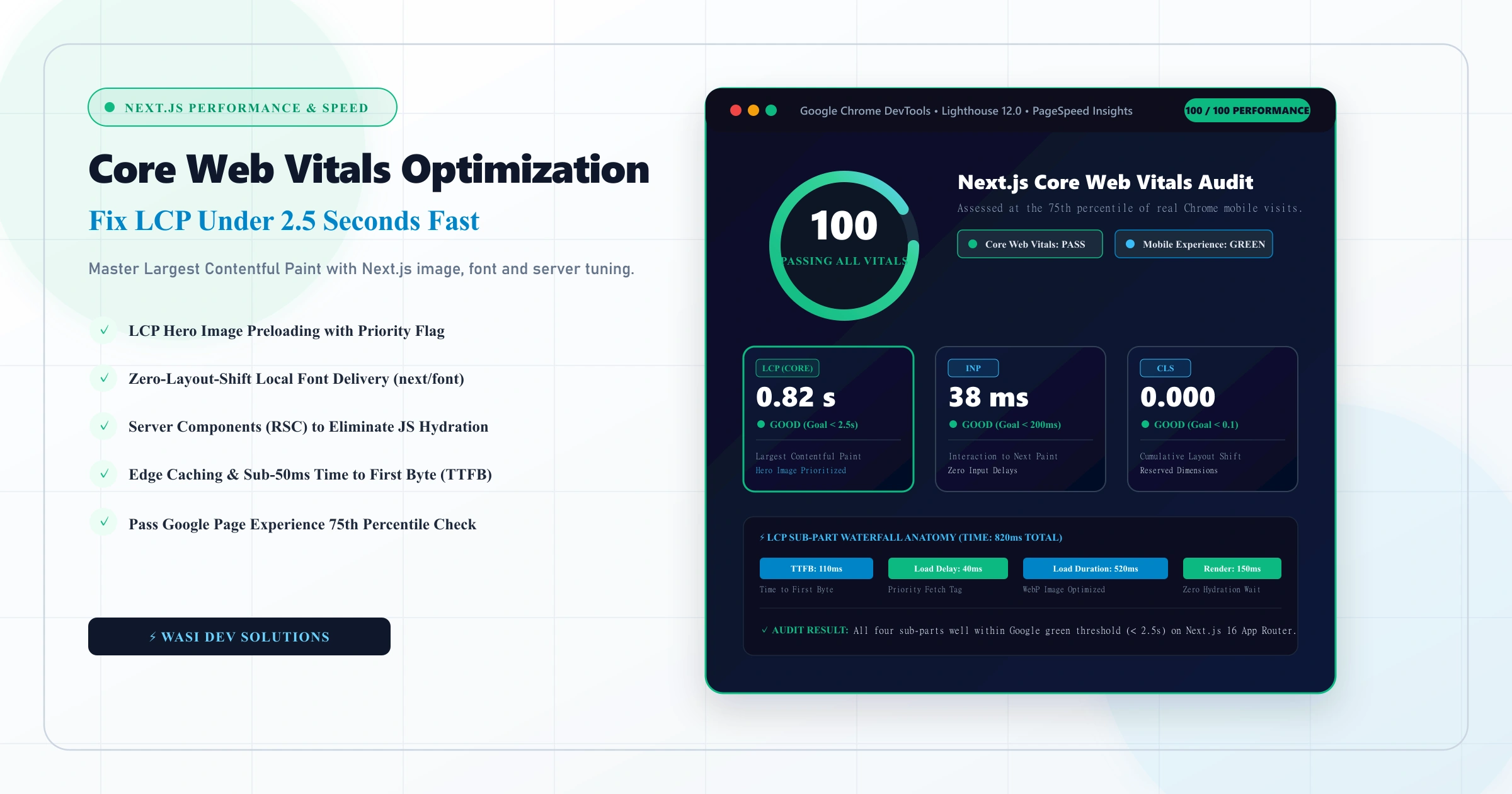
Of the three Core Web Vitals, Largest Contentful Paint (LCP) is the one most sites struggle with when evaluating SEO and website performance. It measures how long the biggest visible element takes to appear, which is usually a hero image, a banner, or a large block of text. Visitors do not think in metrics, but they notice immediately when the main content takes too long to show up.
Next.js gives developers strong tools for fast loading, yet it does not guarantee a good score. Heavy images, late-loading fonts, slow servers, and third-party scripts can undo the framework's advantages. This guide explains what LCP measures, how to find what is slowing it down, and the practical changes that move a Next.js site under the 2.5-second threshold through systematic core web vitals optimization.
What Are Core Web Vitals?
Core Web Vitals are Google's set of user-experience metrics. Each covers one aspect of how a page feels to use:
- Largest Contentful Paint (LCP): Measures loading speed. A good score is 2.5 seconds or less.
- Interaction to Next Paint (INP): Measures responsiveness to clicks, taps, and key presses. A good score is 200 milliseconds or less. INP replaced First Input Delay as a Core Web Vital in March 2024.
- Cumulative Layout Shift (CLS): Measures visual stability, meaning how much content jumps around while loading. A good score is 0.1 or less.
Google assesses these at the 75th percentile of real user visits, so a page passes only when most of your visitors have a good experience, not just the fastest ones. Core Web Vitals are part of Google's page experience signals. They are one ranking factor among many, and strong content still matters more, but a slow page also loses visitors regardless of where it ranks.
Lab Data vs Field Data
Before changing anything, understand which numbers you are looking at.
Field data comes from real users and is collected in the Chrome User Experience Report. You can see it in PageSpeed Insights and in the Core Web Vitals report in Google Search Console. This is the data Google uses for assessment.
Lab data comes from simulated tests, such as Lighthouse. It is repeatable and useful for debugging, but it runs on a fixed device and network, so it can differ from what real visitors experience.
A perfect Lighthouse score does not guarantee passing field data, and the reverse is also true. Use lab tools to find and fix problems, then confirm improvement in field data, which updates over a rolling period and can take weeks to reflect your changes.
Find What Your LCP Element Is
You cannot fix LCP without knowing which element is responsible. Open Chrome DevTools, run a Performance recording, and look for the LCP marker, or check the diagnostics in PageSpeed Insights. The LCP element is most often:
- A hero or banner image
- A large heading or paragraph of text
- A video poster image
- A background image set with CSS
Mobile and desktop frequently have different LCP elements, so test both.
The Four Parts of LCP
Google breaks LCP into four sub-parts, which makes diagnosis much easier:
- Time to first byte (TTFB): How long the server takes to respond.
- Resource load delay: The gap between the first byte and the browser starting to download the LCP resource.
- Resource load duration: How long that resource takes to download.
- Element render delay: The time between finishing the download and actually painting the element.
A slow LCP is almost always dominated by one of these. Fixing the largest part first gives the biggest return.
Fixes That Improve LCP in Next.js
Optimize and Prioritize the LCP Image
Images are the most common cause. When tackling core web vitals optimization in Next.js, the next/image component is your most effective tool. It serves modern formats where supported, resizes images for the requesting device, and avoids layout shift by reserving space.
For the image that is your LCP element, take these steps:
- Mark it as high priority so the browser fetches it immediately. In many Next.js versions this is the priority prop, but confirm the exact option for your version in the official documentation, because the API has evolved.
- Do not lazy-load it. Lazy loading above-the-fold images delays LCP.
- Provide an accurate sizes attribute so the browser downloads an image of the right dimensions, not a huge desktop file on a phone.
- Compress source images and avoid uploading oversized originals.
Load Fonts Without Delay
Web fonts can delay text rendering. The next/font module hosts font files with your own site, removing an extra request to a third-party server, and it helps reduce layout shift by adjusting fallback font metrics. Limit the number of font families and weights, because every additional file adds weight.
Reduce Server Response Time
A slow TTFB sets a floor for everything that follows. Several approaches help:
- Static generation or incremental regeneration for pages that do not change per visitor, so HTML is ready before the request arrives, following established Next.js SEO best practices to minimize server latency.
- Caching at the CDN level so repeat requests do not hit your origin server.
- Hosting close to your audience. Geography affects latency, especially for visitors far from your server region.
- Efficient data fetching. Avoid slow database queries and waterfalls, where one request waits for another unnecessarily.
For pages that must be rendered per request, use streaming with React Suspense so the main content can appear while slower parts load.
Ship Less JavaScript
Heavy JavaScript delays rendering and hurts responsiveness. With the App Router, Server Components send no component JavaScript to the browser, so keep as much as possible on the server and add "use client" only where interactivity is needed. Beyond that:
- Use dynamic imports to split code that is not needed immediately.
- Audit dependencies. A single large library can add significant weight.
- Run a bundle analyzer to see what is actually being shipped.
Control Third-Party Scripts
Analytics, chat widgets, tag managers, and ad scripts are frequent causes of poor performance. The next/script component lets you choose a loading strategy, so non-critical scripts can load after the page becomes interactive. Remove any script that no longer earns its place.
Remove Render-Blocking Resources
Large CSS files and synchronous scripts can delay the first paint. Keep styles lean, avoid importing entire UI libraries when you use a fraction of them, and make sure critical content does not depend on client-side JavaScript to appear. If your hero section only renders after hydration, LCP will suffer.
Common Mistakes That Hurt LCP
- Lazy-loading the hero image
- Using a CSS background image for the main visual, which the browser discovers late
- Uploading full-size images and relying on the browser to shrink them
- Loading several font families and weights
- Rendering the main content on the client after a data fetch
- Embedding heavy video or sliders above the fold
- Adding third-party scripts without measuring their cost
- Optimizing only the homepage and ignoring other templates
Check each major template separately, since a blog post, product page, and landing page can have very different LCP elements. Projects that recently completed migrating WordPress to Next.js often uncover legacy styling or unoptimized hero banners on specific page types that drag down average scores.
Keep Improving Without Breaking Anything
Performance work is not a one-time task. Sustained core web vitals optimization ensures that new images, new plugins, and new features do not gradually erode your scores. Build checks into your workflow:
- Run Lighthouse or PageSpeed Insights before and after significant releases.
- Monitor field data in Search Console for regressions.
- Set performance budgets so oversized assets are caught early.
- Re-test after adding third-party tools.
This is where ongoing website maintenance pays off, since regular speed checks catch problems before they appear in your rankings or conversion rate. Routine core web vitals optimization checks keep dependencies and asset weights under control month after month.
Speed is easiest to achieve when it is designed in from the start. A clean custom Next.js website avoids many of the heavy scripts, unoptimized layouts, and server bottlenecks that become expensive to fix later.
Want to Get Your Next.js Site Under 2.5s LCP?
Get a complete core web vitals optimization audit covering field and lab data with actionable code fixes for images, fonts, and server response times.
Request a free Core Web Vitals audit