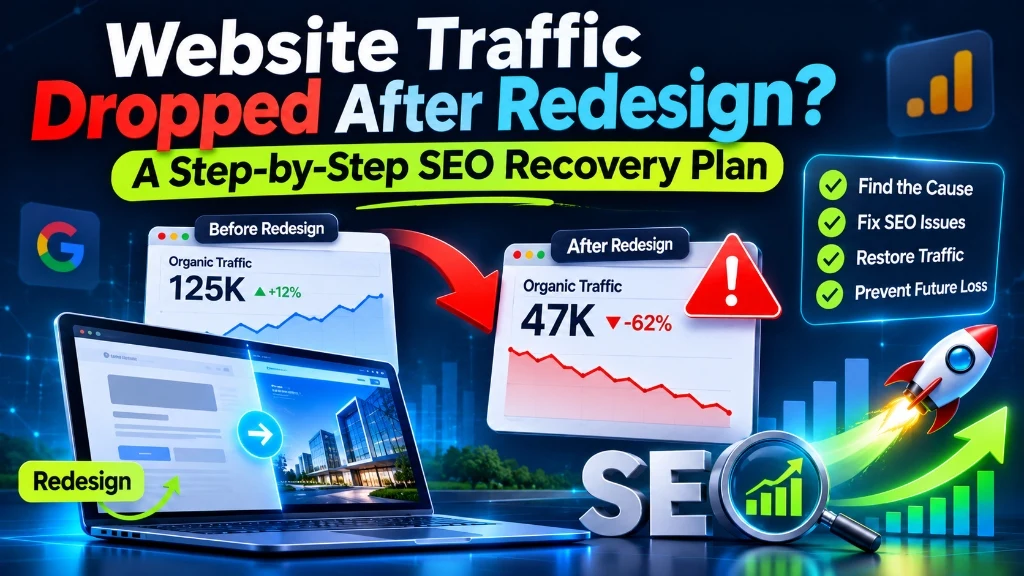
You launched the new site and the design looks sharper. Then the analytics tell a different story: your organic traffic dropped after redesign, enquiries have thinned out, and rankings you held for years have slipped. This is a common and stressful outcome of a redesign, and it almost always has an identifiable cause.
Most post-redesign losses come from structural and technical changes. Pages move, content gets trimmed, or a staging setting travels into production. Each of these can be found and fixed. Recognizing early structural warning signs, discussed in signs your business website needs a redesign, prevents teams from carrying legacy technical debt into the new build. This article focuses on what to do once the damage has happened: confirm the cause, fix the biggest problems first, and avoid a repeat.
First, Confirm the Drop Is Real and Tied to the Redesign
Before changing anything, establish what actually happened when your traffic dropped after redesign. Compare organic performance in Google Analytics and Google Search Console for the period after launch against the period just before it. Then compare the same dates with last year, so you can separate a genuine loss from seasonal movement.
Three checks narrow things down quickly:
- Timing. Did the decline begin on or just after launch day? A drop that starts at the same moment as the new site points to the redesign. A slow slide that began months earlier points elsewhere.
- External factors. Check the Google Search Status Dashboard for ranking updates around the same dates. Algorithm changes and redesigns sometimes overlap, so rule this out early.
- Impressions versus clicks. If impressions fell, Google is showing your pages less often, which suggests ranking or indexing problems. If impressions held but clicks fell, look at changed titles, descriptions and result appearance instead.
Some movement is normal after a major site change while Google recrawls and reprocesses your pages. What matters is whether the numbers stabilise or keep falling.
Triage the Damage
A site-wide percentage hides where the real loss is. In the Search Console Performance report, set the date range to compare the weeks before and after launch, open the Pages tab, and sort by the change in clicks. In many cases a relatively small group of pages accounts for much of the lost traffic. Diagnosing lost rankings after new website rollouts requires separating template issues from sitewide penalties.
Then split the picture in two ways:
- By page type. Are service pages, blog posts, product pages or the homepage affected most? A loss concentrated in one template suggests a template-level problem, such as a missing heading or a broken canonical.
- By query type. Separate brand queries from non-brand queries. If brand traffic held but non-brand traffic fell, rankings for topic keywords are what changed.
Finish with a short priority list. Rank the affected pages by their value to the business: leads generated, sales influenced, or links earned. Start recovery work there, not with the pages that merely lost the most visits.
The Most Common Causes and How to Fix Them
When organic traffic dropped after redesign, the issue usually traces back to one of the following architectural, content, or indexing factors:
Broken or missing redirects
When a redesign changes URLs, every old address should 301 redirect to its closest equivalent on the new site. If it doesn't, the old URL returns a 404, and the rankings and links tied to it have nowhere to go. Sending everything to the homepage is not a safe shortcut either, because Google can treat irrelevant redirects like missing pages.
Rebuild your list of old URLs from a crawl of the previous site if you have one, plus old sitemaps, Search Console data and analytics landing pages. Map each to its best new match and test the results. Rebuilding an inventory of legacy URLs through crawls and analytics mirrors the procedures for migrating WordPress to Next.js without losing SEO, where 1:1 redirect maps prevent high-authority pages from defaulting to 404s.
Indexing blockers carried over from staging
Development sites are usually hidden from search engines on purpose, and those settings sometimes go live with the site. Check for:
- a
noindexmeta tag orX-Robots-Tagheader - a robots.txt rule that disallows crawling
- canonical tags pointing at a staging or development domain
- password protection left switched on for some sections
Use the URL Inspection tool on your key pages to see how Google reads them. Auditing responsive layouts, canonical declarations, and caching headers against a structured technical SEO checklist for modern websites verifies whether search engines can access your critical text content.
Content that was removed or rewritten
Unintentional drops occur frequently in ecommerce when redesigns condense product taxonomy or remove subcategory landing pages that previously ranked for high-intent queries.
Pages often rank because of specific details: a particular heading, an FAQ section, a detailed service description, a comparison table. Redesigns tend to shorten copy for a cleaner look, and rankings can follow the content out the door.
Compare the old and new versions of your top pages. Archived copies or your own backups help here. You don't need to bring back the old layout, only the substance that answered searchers' questions.
Rewritten titles, headings and URLs
New brand-led page titles and clever headings can sever the link between a page and the queries it used to match. Check that each important page still has a descriptive title and H1 that reflect its topic. If URLs were rewritten without a strong reason, consider whether returning to the originals would be simpler than maintaining thousands of redirects.
Weaker internal linking
Navigation changes can quietly push pages deeper into the site. A smaller menu, a missing footer, or a rebuilt blog with different pagination can leave pages with fewer links, or none at all. Crawl the new site and look for pages that are many clicks from the homepage or have no internal links pointing to them.
Rendering and performance regressions
A new front end can load content through JavaScript, hide links behind scripts, or add heavy assets. Use the live test in URL Inspection to compare what Google renders with what visitors see. Then review the Core Web Vitals report in Search Console and test key templates with Lighthouse. Slow or unstable pages can hurt both visitors and search performance.
Lost structured data and metadata
Schema markup, canonical tags, Open Graph tags and, on multi-region sites, hreflang annotations are easy to forget when templates are rebuilt. Spot-check each template type against the old site.
A Recovery Sequence That Works in Practice
If your traffic dropped after redesign, order matters. Clear site-wide blockers before tweaking minor on-page details during seo recovery after redesign. Work systematically through this sequence:
- Remove blockers. Clear any noindex, robots.txt or canonical problems first, since they can hold back everything else.
- Fix redirects and errors. Crawl your old URL list, resolve 404s, shorten redirect chains and correct redirects that point to unrelated pages.
- Restore valuable content. Rebuild the missing substance on your highest-value pages.
- Repair internal links and the sitemap. Make sure the XML sitemap lists only live, canonical URLs, and resubmit it in Search Console.
- Address rendering and speed. Fix crawlability and Core Web Vitals problems on the key templates.
- Request indexing selectively. Use URL Inspection for priority pages after fixing them, then watch the Page indexing report.
- Monitor weekly. Track clicks, impressions and rankings for your priority pages, and note each fix with its date so you can connect changes to results.
Recovery time depends on the size of the site, the severity of the problems and how quickly Google recrawls your pages. Nobody can promise a fixed timeline, but fixing blockers first usually brings the earliest improvement. Accelerating recovery requires systematic code changes, where an end-to-end SEO performance service audits server responses and implements redirect rules directly in the deployment pipeline.
Lost Organic Traffic or Rankings After Launching Your New Site?
Our technical SEO engineers perform full post-launch forensic audits, repair broken 301 redirect maps, remove indexing blockers, and restore search rankings rapidly.
Explore Our SEO Performance Services →How to Prevent It Next Time: A Redesign SEO Checklist
Most of the damage described above is avoidable with preparation.
Before launch
- Record baseline traffic, rankings and top landing pages.
- Crawl the existing site and keep a full URL inventory.
- Keep URLs unchanged wherever there is no strong reason to change them.
- Prepare and test a complete redirect map on staging.
- Confirm the new pages keep the content, titles and headings that earn traffic.
On launch day
- Remove staging blocks, including noindex tags and robots.txt rules.
- Check canonicals, the XML sitemap and analytics tracking.
- Spot-check a sample of old URLs to confirm they redirect correctly.
After launch
- Review the Page indexing report and crawl errors daily at first, then weekly.
- Track rankings and clicks for your priority pages against the baseline.
Conclusion
Seeing that your traffic dropped after redesign is alarming, but it is rarely a mystery. Confirm the timing, find which pages lost the most value, then check the usual suspects: redirects, leftover staging settings, trimmed content, weaker internal links and rendering problems. Fix them in order of impact, monitor the results, and use a pre-launch checklist for the next redesign so the same losses don't repeat.
If your redesign caused unexpected search visibility drops and you need senior engineers to audit and repair your routes, reach out through our contact page to begin immediate recovery.