
1. What Is a Restaurant POS System?.
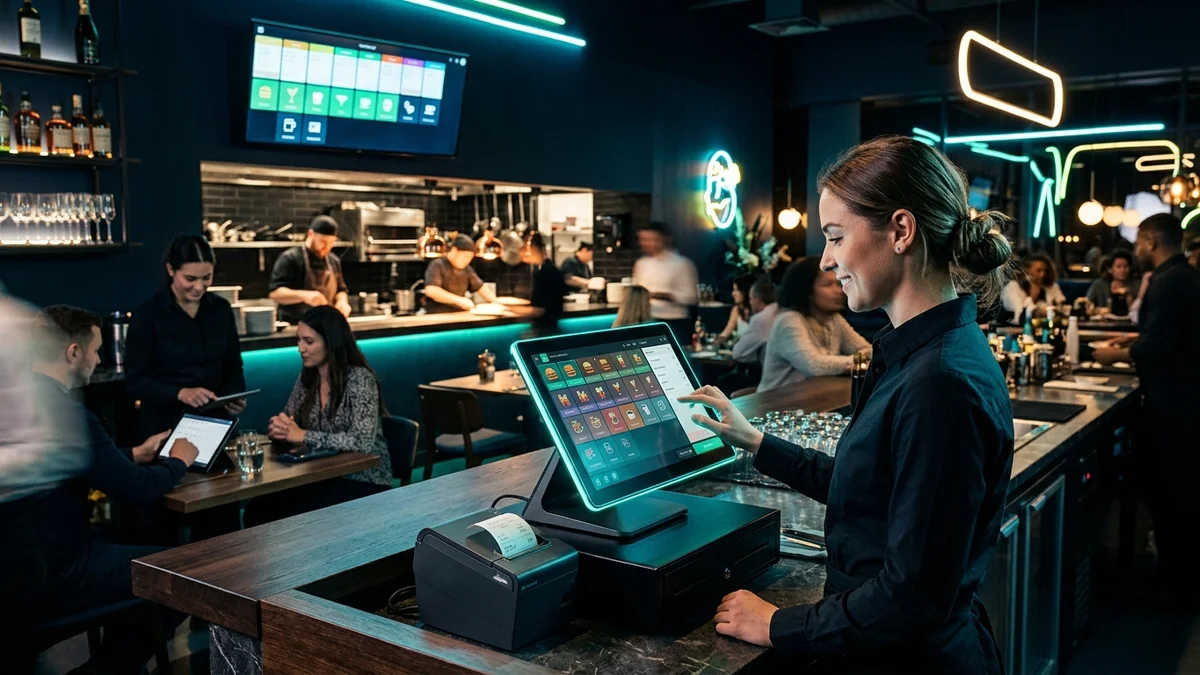
A restaurant POS (Point of Sale) system is the digital hub of a modern food business. In the past, servers wrote orders on paper pads and entered totals into an old cash drawer. Today, modern dining spots use smart screens and cloud tools that connect the dining room, kitchen line, bar, and stockroom. This setup makes every shift run with speed and ease.
Every food business needs fast order routing, no matter its size. Busy coffee shops, food trucks, family diners, and large restaurants all face big dinner rushes. During these busy hours, slow notes between servers and cooks lead to cold food, wrong dishes, and lost revenue. A good point of sale setup stops mistakes so staff can focus on great customer service.
Modern owners also link their counter system with digital sales channels. Many hospitality brands connect their registers with custom restaurant website design so guests can order pickup and delivery straight from their phones. This direct setup saves money on heavy third-party app fees and keeps customer data in your hands.
2. Main Hardware Tools for Daily Service.
A dependable point of sale pairs strong hardware with quick cloud tools. Dining spaces deal with spilled drinks, food grease, heat, and non-stop screen taps all day. Normal home tablets often crack or freeze under these tough conditions. Commercial restaurant hardware includes thick glass screens, heavy bases, and spill-safe cases made for long, busy shifts.
Front-of-house staff use several linked devices to run daily service:
- Touchscreen Counter Screens: Bright monitors where cashiers enter meals, seat walk-in guests, and balance cash drawers.
- Mobile Handheld Tablets: Small wireless tablets that let servers take orders and swipe cards right at the table.
- Card Payment Readers: Fast tap readers that accept Apple Pay, Google Pay, credit cards, and debit cards.
- Thermal Receipt Printers: Quick, quiet printers that print customer receipts and bar drink tickets with no ink ribbons.
- Kitchen Display Screens: Big screens in the kitchen that show active food tickets in clear order.
- Steel Cash Drawers: Safe lockboxes that pop open only when cash payments are entered.
Kitchen display screens help line cooks work much faster. Paper tickets can tear, get wet, or get lost near hot pans. Digital screens show orders in clear, colored boxes. Cooks can tap finished meals off the screen, while managers see ticket wait times in real time.
3. Cloud Software and Daily Shift Workflows.
Cloud software lets restaurant owners manage menus, prices, and staff hours from any web browser. In old legacy systems, changing a meal price meant typing on each register by hand. Cloud systems update all screens in seconds. You can add a weekend special or change a price from your phone at home.
Floor layout tools inside the software help host teams seat guests without delay. Managers build a visual map of the dining room, patio, and bar area. Hosts see open tables, seated guests, and paid checks at a quick glance. This clear map speeds up table turns so you can serve more guests each night.
Bill splitting is another great perk of cloud point of sale systems. Diners often ask to split checks when eating in large groups. Modern systems let servers split bills across cards, divide meals by seat, or move drink tabs between the bar and tables with a tap. Guests pay and leave quickly without long delays.
4. Kitchen Routing and Order Precision.
Right orders keep food costs low and customers happy. When servers enter an order on their screen, the software sends each item to the right spot. Craft drinks print at the bar, salads pop up at the cold prep station, and steaks show on the hot grill screen with live timers.
Meal notes and food allergy alerts flow smoothly through the system. If a guest asks for no onions or extra sauce, servers tap simple buttons that show bright yellow notes on the cook screen. This cuts errors from messy handwriting and helps cooks get dishes right the first time.
Brands that take online orders often link their screens with custom web applications for real-time order intake. When web orders drop straight into the main register, counter staff do not have to retype tickets by hand. Kitchen teams cook online orders alongside dining room meals with zero friction.
5. Stock Control and Food Cost Savings.
Controlling ingredient costs is a huge part of running a profitable food spot. Modern point of sale software tracks raw food stock as sales happen. When a cashier sells an artisan pizza, the software subtracts the cheese, dough, and tomato sauce from your stock count.
Smart alerts warn managers before popular items run out on a busy night. Managers get a text or screen note when items drop below safe levels. When an item is gone, managers can 86 it with one tap. This grays out the dish on all registers and online menus right away.
Tracking waste inside the system protects your bottom line. Kitchen staff can log dropped plates, burnt food, or spoiled milk right on the screen. Looking at these waste reports helps chefs order smarter, cut down on trash, and save hundreds of dollars each month.
6. Point of Sale System Comparison.
Choosing the right setup depends on your service style, floor size, and menu depth. The table below shows the key differences between cloud registers, mobile tablet setups, and old on-premise systems:
| System Type | Main Setup | Offline Work Mode | Remote Updates | Best Venue Match |
|---|---|---|---|---|
| Cloud POS | Commercial touchscreens, cloud web sync | Full offline mode stores card sales safely | Web dashboard on any phone or laptop | Cafes, casual dining, full-service bars |
| Mobile Tablet | Consumer tablets, compact card readers | Basic offline caching with limits | Mobile app control panel | Food trucks, bakeries, pop-up stalls |
| Legacy Server | Bulky backroom server boxes | Works over local cables without web | Needs complex remote desktop links | Large hotel resorts, old food chains |
While bulky server boxes were common years ago, high upkeep costs have pushed most owners toward cloud tools. Cloud tools cost less to buy, update without downtime, and link smoothly with digital bookkeeping apps.
Practical Rule of Thumb.
Always check that your point of sale has a strong offline mode. If local web access drops on a rainy night, an offline system keeps taking orders, printing kitchen slips, and saving card payments so your dinner rush never grinds to a halt.
7. Real Costs and Payment Processing Rates.
Planning your budget means looking at three main costs. You need to plan for initial hardware, monthly software fees, and card processing fees. Clear pricing keeps you safe from bad surprises, long lock-in contracts, and hidden fees down the road.
Hardware packages cost between $800 and $2,400 per station based on your needs. A simple counter screen, thermal printer, cash drawer, and card tap reader sits near the low end of that range. Adding mobile server tablets and kitchen screens costs more at first, but pays back quickly by speeding up service.
Software subscriptions run between $60 and $140 per month for the main screen. Extra server tablets or kitchen screens often cost $20 to $40 per screen. For card payments, look for flat rates between 2.2% and 2.9% plus a few cents per tap. Avoid long multi-year contracts that charge heavy fees if you cancel.
8. Connecting Online Orders and Branded Sales.
Today, diners want to order food easily on phones, laptops, and tablets. Many food spots pair their counter registers with e-commerce development to build their own online ordering store. Your own store lets loyal fans order lunch, book catering platters, and buy gift cards with zero commission cuts.
Matching your digital menu with modern custom website design helps you rank high when people search for lunch near them. Fast page loads, appetizing meal photos, and quick mobile checkout turn web visitors into repeat diners before they ever open delivery apps.
Customer loyalty data also saves straight into your marketing records. Diners enter a phone number or email at checkout to earn reward points and get birthday deals. You can send quick text deals during slow weekday hours to bring in lunch diners and build steady sales all year long.
9. Simple Checklist for Picking Your System.
Picking the best system means finding the right match for your food concept and team. Work through these simple questions before you sign any software deal:
- Easy Screen Layout: New servers should learn basic order entry and bill closing in under 30 minutes.
- Strong Offline Mode: The system must print tickets and take cards when web links fail.
- Open App Connections: The tool should connect cleanly with your staff payroll, book balance sheets, and table booking apps.
- Standard Hardware Options: Choose systems that let you use standard tablets rather than costly locked devices.
- 24/7 Phone Help: System hiccups happen during peak dinner rushes, so live help over the phone is vital.
Testing a live demo helps you see how the screen feels in real time. A modern, easy point of sale speeds up service, cuts team stress, and sets up your restaurant for steady profits and happy guests for years to come.