
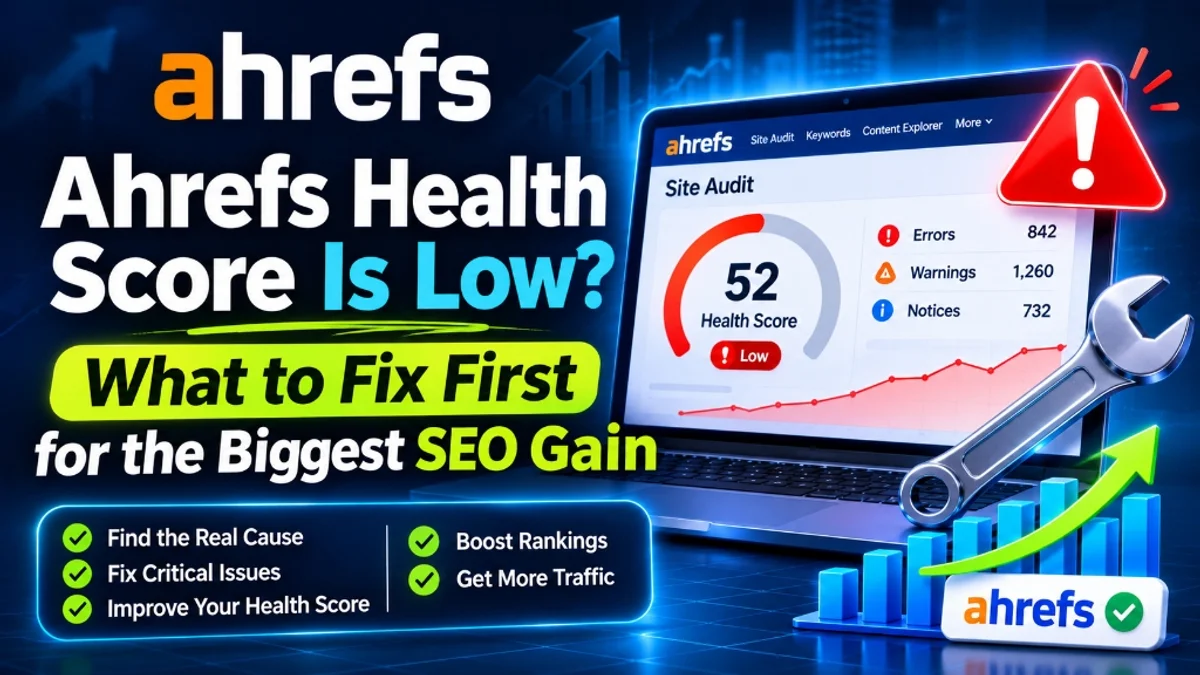
A red Health Score in Ahrefs feels urgent, but the number alone doesn't tell you what to do. Approaching an ahrefs site audit fix requires understanding what the number actually represents: some issues in the report block pages from being crawled or indexed, while others are housekeeping that will never change a ranking. Fixing them in report order, or chasing 100%, can eat a week of work and leave your traffic where it was.
This guide explains what the score measures, which issues deserve attention first, and which can wait. If you already have an audit open, you can use it as a working checklist.
What the Ahrefs Health Score Actually Measures
Ahrefs describes Health Score as the share of your site's internal URLs that have no errors. The number depends on the crawl: what Site Audit could reach, how many URLs it found, and how many of those triggered an error-level issue.
Three details explain most confusing scores:
- Only errors count against the score. Warnings and notices appear in the report but don't lower it, so a site can show 95% while carrying hundreds of warnings worth reviewing.
- It is a ratio of URLs, not a quality grade. If a faulty template generates thousands of broken URLs, the score collapses even though the fault is one fix.
- It reflects crawl settings. If the crawl includes parameter URLs, staging subdomains, or old archive sections, the score describes pages you may not care about.
The score is also Ahrefs' own metric. Google doesn't use it, and a higher number is not a ranking signal. Its value is as a progress indicator for technical clean-up, not as a goal in itself.
Check the Crawl Before Fixing Anything
Before executing any technical ahrefs site audit fix, confirm the audit is looking at the right site. A surprising number of "low score" reports come from a misconfigured crawl rather than a broken website.
Review the project settings and look for these problems:
- Wrong scope. Make sure the crawl covers the right domain or subdomain and doesn't wander into a test environment.
- JavaScript rendering. If your site is built with a framework such as React or Next.js, check whether JavaScript rendering is enabled in the crawl settings. Without it, the crawler may see a thinner version of each page than users and search engines do.
- Crawl limits and speed. Make sure the crawl wasn't cut off early or throttled by your server, which can produce false errors.
- Included URL patterns. Internal search results, filter combinations, and session parameters can inflate the URL count with pages that shouldn't be indexed anyway.
If the crawl scope was wrong, correct it and re-crawl before drawing conclusions. If the scope is right, the errors are real and the rest of this guide applies.
The Fix Order That Moves Rankings
Structuring your ahrefs site audit fix workflow around business impact ensures you solve ranking bottlenecks first. Prioritize by one question: does this issue stop a page from being found, indexed, or properly understood? Work through the groups below in order.
1. Indexability and crawl blockers
These problems can remove pages from search results entirely, so they come first. Look for:
- Important pages marked
noindexby mistake, often a leftover from a staging setup or a plugin setting. - Pages blocked in
robots.txtthat should be crawlable. - Canonical tags pointing to the wrong URL, or to a URL that redirects or returns an error.
- Pages that return 5xx server errors.
Check these manually in a browser or in Google Search Console before changing anything. A single noindex on a key service page is worth more than a hundred cosmetic fixes.
2. Broken pages and broken internal links
A 4xx error on a URL that has internal links or backlinks pointing at it wastes link equity and frustrates visitors. In the Ahrefs report, sort broken pages by the number of incoming links and start at the top.
For each one, you have three options. Restore the page if it was removed by accident, redirect it with a 301 to the closest relevant replacement, or update the internal links so nothing points at it. Don't redirect everything to the homepage, because that tends to confuse both users and crawlers.
3. Redirect chains and redirect loops
A redirect chain happens when URL A redirects to B, which redirects to C. A loop sends the crawler in circles. Both slow down crawling and can cause pages to drop out of the index. Update the original link or rule so it points straight to the final destination in one hop.
HTTP-to-HTTPS and www versus non-www redirects are common sources. If your preferred version isn't consistent across the site, fix that rule once at the server level rather than page by page.
4. Sitemap and canonical consistency
Dynamic listing portals in real estate frequently see thousands of sitemap and canonical errors in Ahrefs when expired properties, neighborhood filtering parameters, or syndicated MLS feeds generate automated indexation conflicts.
Your XML sitemap should list only canonical, indexable URLs that return a 200 status. If Ahrefs flags sitemap entries that redirect, return errors, or are marked noindex, your sitemap is sending mixed signals. Regenerate it, then check that the canonical on each listed page points to itself.
5. Page speed and Core Web Vitals
Performance issues deserve attention when they are severe, especially on mobile. Google's Core Web Vitals focus on three measurements: Largest Contentful Paint (loading), Interaction to Next Paint (responsiveness), and Cumulative Layout Shift (visual stability). The thresholds Google treats as "good" are 2.5 seconds or less for LCP, 200 milliseconds or less for INP, and 0.1 or less for CLS.
Common wins include compressing and properly sizing images, deferring non-critical JavaScript, and reserving space for images and embeds so the layout doesn't jump. Treat page experience as a tiebreaker between similar pages, not a trick that outranks strong content on its own.
Optimizing asset loading, script hydration, and font preloading aligns with techniques covered in Core Web Vitals and LCP in Next.js, ensuring high audit health translates directly into responsive real-world interaction.
6. On-page metadata and content signals
After the structural problems are handled, move to the page-level items:
- Missing or empty title tags on pages you want to rank.
- Duplicate titles across pages targeting different intents.
- Missing H1 tags, or pages with several competing H1s.
- Thin or near-duplicate pages that could be merged or improved.
Meta descriptions are worth writing well because they influence click-through, but Google has said they aren't a direct ranking factor. Fix them for pages that already get impressions, not as a site-wide chore.
Issues You Can Usually Deprioritize
Ahrefs surfaces a lot of information that is accurate but rarely consequential. These are worth logging and revisiting later rather than fixing now:
- Notices such as pages with only one dofollow incoming internal link, unless a key page is genuinely buried.
- Missing alt text on decorative images. Alt text matters for accessibility and for images that carry meaning, but it isn't a priority on spacer graphics.
- Long titles or descriptions that may be truncated in results. Truncation doesn't hurt rankings.
- Duplicate content between filtered or parameter URLs that are already canonicalized correctly.
- Orphan or low-value pages that you intend to leave out of search.
The test is simple. If fixing it wouldn't change what Google can crawl, index, or understand, or what a visitor experiences, it can wait.
How to Raise the Score Without Wasting Effort
Executing an effective ahrefs site audit fix to raise the score without wasting effort comes down to volume and root causes. If the goal is to improve the Ahrefs health score for reporting purposes, focus on volume. Look at which error types account for the largest number of URLs, and trace them to a root cause. One broken navigation link, one faulty template, or one misconfigured redirect rule can account for thousands of flagged URLs.
A practical workflow looks like this:
- Group errors by type and count the affected URLs.
- Identify whether each group comes from a template, a plugin, a server rule, or individual pages.
- Fix the root cause first, then handle one-off pages.
- Re-crawl and compare against the previous audit to confirm the fixes worked.
- Schedule recurring crawls so new problems appear while they're still small.
Expect the score to move in jumps rather than gradually. A single template fix can lift it significantly, while the last few percentage points often involve pages that aren't worth the effort.
Benchmarking reported errors against a comprehensive technical SEO checklist for modern websites clarifies which server responses, canonical tags, and directives genuinely protect visibility.
When an Audit Report Needs Hands-On Implementation
Reading an audit is one skill and fixing it safely is another. Redirect rules, canonical logic, rendering settings, and performance work all touch live code, and a mistake can cause new errors or deindex pages. That is especially true on JavaScript-heavy sites, where the cause of an issue often sits in the framework configuration rather than the page content.
Resolving systemic crawl flags across a large application often requires code-level execution through an experienced SEO performance service that fixes root causes inside the template codebase.
Need Help Fixing Critical Ahrefs Site Audit Errors?
Our technical SEO engineers resolve root causes in your code, remove indexation blockers, fix broken redirect chains, and optimize Core Web Vitals to boost your rankings and health score.
Explore Our SEO Performance Services →Conclusion
Approaching your ahrefs site audit fix methodically turns an overwhelming error log into a manageable roadmap. A low Ahrefs Health Score is a starting point for investigation, not a verdict. Confirm the crawl settings first, then fix in order of impact: indexability blockers, broken pages and links, redirect problems, sitemap and canonical consistency, performance, and finally on-page details. Leave low-value notices for later.
Working this way raises the score as a side effect, and more importantly it removes the issues that were holding back crawling, indexing, and visibility.
If your Ahrefs dashboard is flagged with critical errors and you need senior developers to resolve root-cause template bugs, reach out through our contact page to deploy clean architectural fixes.