The point-of-sale system sits at the center of a restaurant's daily operation. It takes orders, sends them to the kitchen, processes payments, and records every sale. When it works, nobody notices it. When it slows down or cannot handle how your restaurant actually runs, the whole service suffers.
Owners usually face two options: subscribe to an established off-the-shelf POS, or commission a custom restaurant POS system built around their own workflows. Neither is automatically better. This guide compares them on cost, features, control, and long-term value so you can decide with realistic expectations.
What Is an Off-the-Shelf POS?
An off-the-shelf POS is a ready-made product sold to many restaurants. You sign up, receive or buy compatible hardware, configure your menu, and start trading, often within days. Most providers charge a recurring subscription, and many also earn money through payment processing or hardware sales.
These systems are designed for the typical restaurant. They include standard features such as table management, menu editing, split bills, tipping, basic reporting, and receipt printing. Because thousands of businesses use them, they are generally well tested, and support teams have seen most problems before.
What Is a Custom Restaurant POS System?
A custom POS is software built specifically for your business. A development team designs and codes the features you need, connects them to your payment provider and other tools, and delivers a system shaped around your processes.
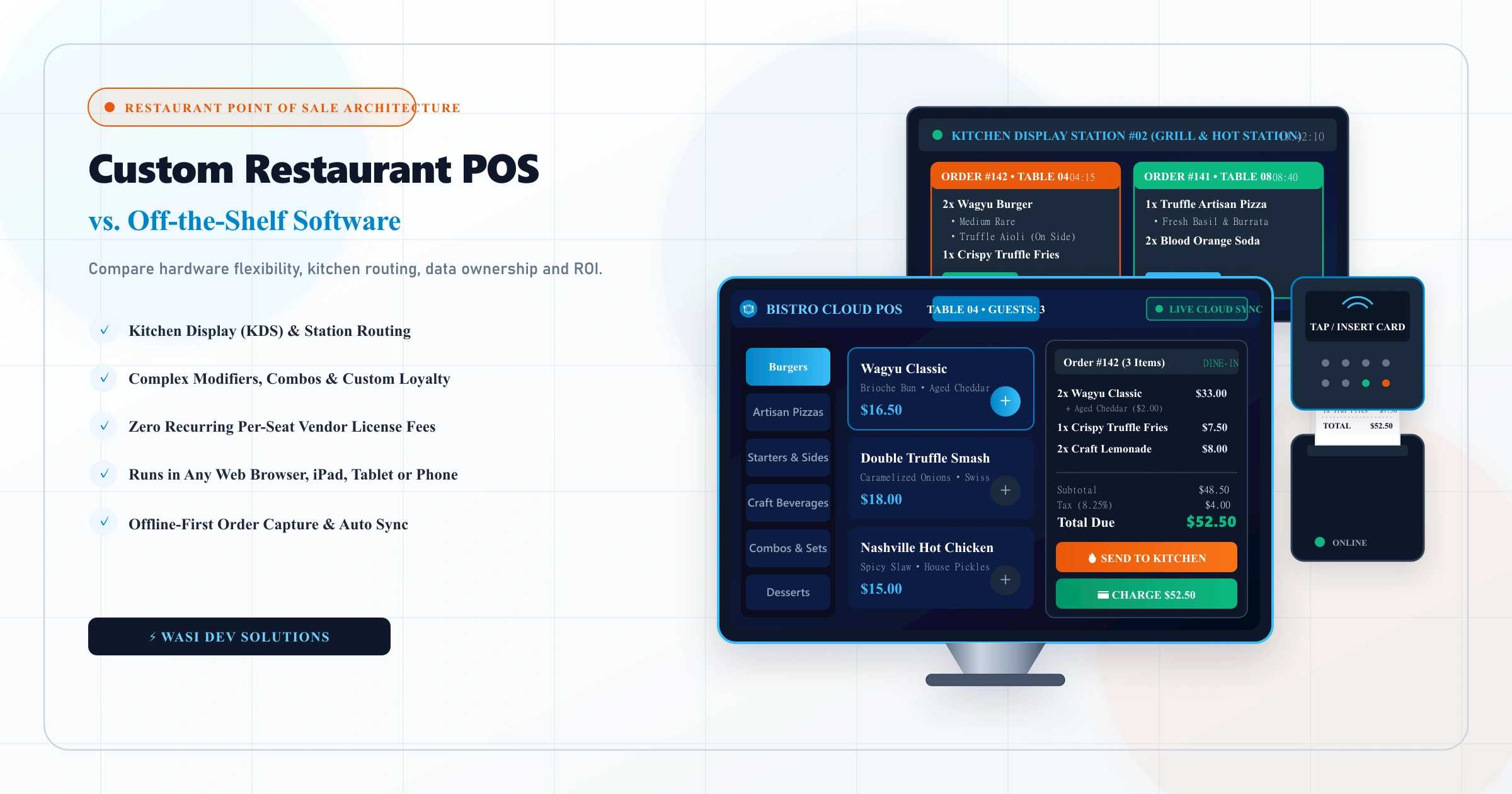
Many custom systems today are built as a restaurant POS web application. They run in a browser or as an installable web app, which means they can work on tablets, phones, and standard computers without being tied to proprietary terminals. Cloud-based design also makes it easier to manage several locations from one dashboard, although the approach you choose depends on your hardware, connectivity, and reliability requirements.
Cost: Upfront Spend vs Ongoing Fees
The financial trade-off is the most common reason owners compare these options, and it is often misunderstood.
Off-the-shelf systems usually have a low barrier to entry. You pay a subscription, perhaps buy hardware, and avoid a large development bill. The cost continues as long as you use the product, and it can rise as you add terminals, locations, or premium modules. Some providers also require you to use their payment processing, which affects your margins.
Custom systems reverse this pattern. The build requires a significant upfront investment, followed by smaller ongoing costs for hosting, maintenance, and improvements. You typically do not pay per-seat licensing to a vendor, but you do carry the cost of keeping the software healthy.
For this reason, the right comparison is total cost over several years, not the price on day one. A single small cafe with simple needs rarely recovers a custom build. A growing group with specific workflows, or a business paying for many add-ons, may find the long-term economics very different. Exact figures depend on scope, so avoid relying on generic numbers and request a scoped proposal before deciding.
Features and Flexibility
Where Off-the-Shelf Works Well
Established products already include the features most restaurants need and have been refined through use. Integrations with common accounting tools, delivery platforms, and payment methods are usually available. For a standard dine-in or counter-service operation, that can be more than enough.
Where Custom Software Wins
Custom development becomes attractive when your business does something that standard products handle poorly. Examples include:
- Unusual menu structures, such as heavy modifiers, combos, or build-your-own items
- Special pricing, loyalty, or membership logic
- Kitchen routing designed around your layout and stations
- Integration with your own inventory, supplier, or delivery systems
- A branded customer-facing ordering experience tied directly to the POS
- Reporting built around the metrics you actually use
With a custom build, you decide what exists. You also avoid paying for features you never use.
Control and Data Ownership
With an off-the-shelf product, you operate within the provider's rules. You depend on their roadmap, pricing decisions, and support quality. If they change terms or retire a feature, your options are limited. Exporting your data may be possible, but the format and completeness vary.
A custom system gives you ownership of the code, the database, and the infrastructure, provided your contract with the developer is structured that way. Make sure that the agreement states clearly that you own the source code and have full access to hosting accounts and documentation. That protects you from being tied to one developer.
Speed of Launch and Risk
Off-the-shelf software wins on speed. You can often be live very quickly, and the product has already survived real-world use.
Custom software takes longer. Discovery, design, development, and testing all need time, and projects can slip if requirements keep changing. At Wasi Dev Solutions, custom web applications typically take four to eight weeks depending on integrations, and a full POS with many connected systems can take longer.
Reliability needs special attention in a restaurant. A POS must keep working during peak service, and internet connections are not always stable. Ask any custom developer how the system behaves when the connection drops, whether it supports offline order capture, and how it synchronizes afterwards. This is one of the most important technical questions in the whole project.
Hardware and Integrations
A POS is not just software. Receipt printers, cash drawers, card readers, kitchen displays, and barcode scanners all have to work with it.
Off-the-shelf providers often sell approved hardware bundles, which simplifies setup but can limit your choices. Custom systems offer more flexibility, but compatibility must be planned. Confirm early which devices you will use, which payment provider you will integrate, and how card data will be handled. Payment security is a serious area, so a custom build should rely on certified payment providers and not process raw card details itself.
Staff Training and User Experience
Restaurant staff often work under pressure, and turnover can be high. A POS that is confusing to use slows service and causes errors. Established products usually have familiar interfaces, and training materials already exist.
A custom POS can match the way your team actually works, with fewer taps and cleaner screens, if it is designed carefully. That makes thoughtful interface work essential. Investing in UI/UX design before development begins, including testing screens with real staff, reduces mistakes and training time later.
Maintenance and Support
Off-the-shelf vendors handle updates, security patches, and bug fixes as part of the subscription. Support quality varies, so check what hours and channels are offered.
With custom software, that responsibility moves to you and your development partner. Without ongoing care, systems drift toward security gaps and compatibility problems. A monthly maintenance plan with backups, monitoring, and updates should be part of the budget from the start.
How to Decide
Off-the-shelf is usually the better fit when:
- You run a single location with standard workflows
- You need to start quickly with a lean budget
- Your needs are covered by the features already available
- You prefer someone else to take responsibility for updates and support
Custom is usually the better fit when:
- Your operation has distinctive workflows that standard tools handle awkwardly
- You are paying for several add-ons or integrations that still do not fit
- You manage multiple locations and want unified control
- You want your POS, online ordering, and reporting to work as one system
- You are prepared to invest upfront for long-term control
A middle path also exists. Some restaurants keep a standard POS for in-store payments and build custom tools around it, such as online ordering, QR menus, or dashboards. Our experience with websites, QR menus, and online ordering for restaurants and cafes shows that this hybrid approach often delivers most of the benefit with less risk. For anything that goes beyond a website, custom web applications can fill the gaps that packaged software leaves.
Weighing a Custom POS Build for Your Restaurant?
Understand the exact scope, timeline, and cost for your restaurant workflows before committing to a system.
Discuss your custom POS project