Going headless is one of the most talked-about decisions in modern e-commerce web development, and one of the most misunderstood. The promise is a faster, fully customized storefront. The reality is a larger project, more moving parts, and ongoing engineering work that a standard Shopify theme never asked of you.
This guide explains what adopting a headless Shopify Nextjs architecture actually means, where it delivers real benefits, where it creates new problems, and how to tell whether your store is a good candidate.
What Does "Headless" Mean on Shopify?
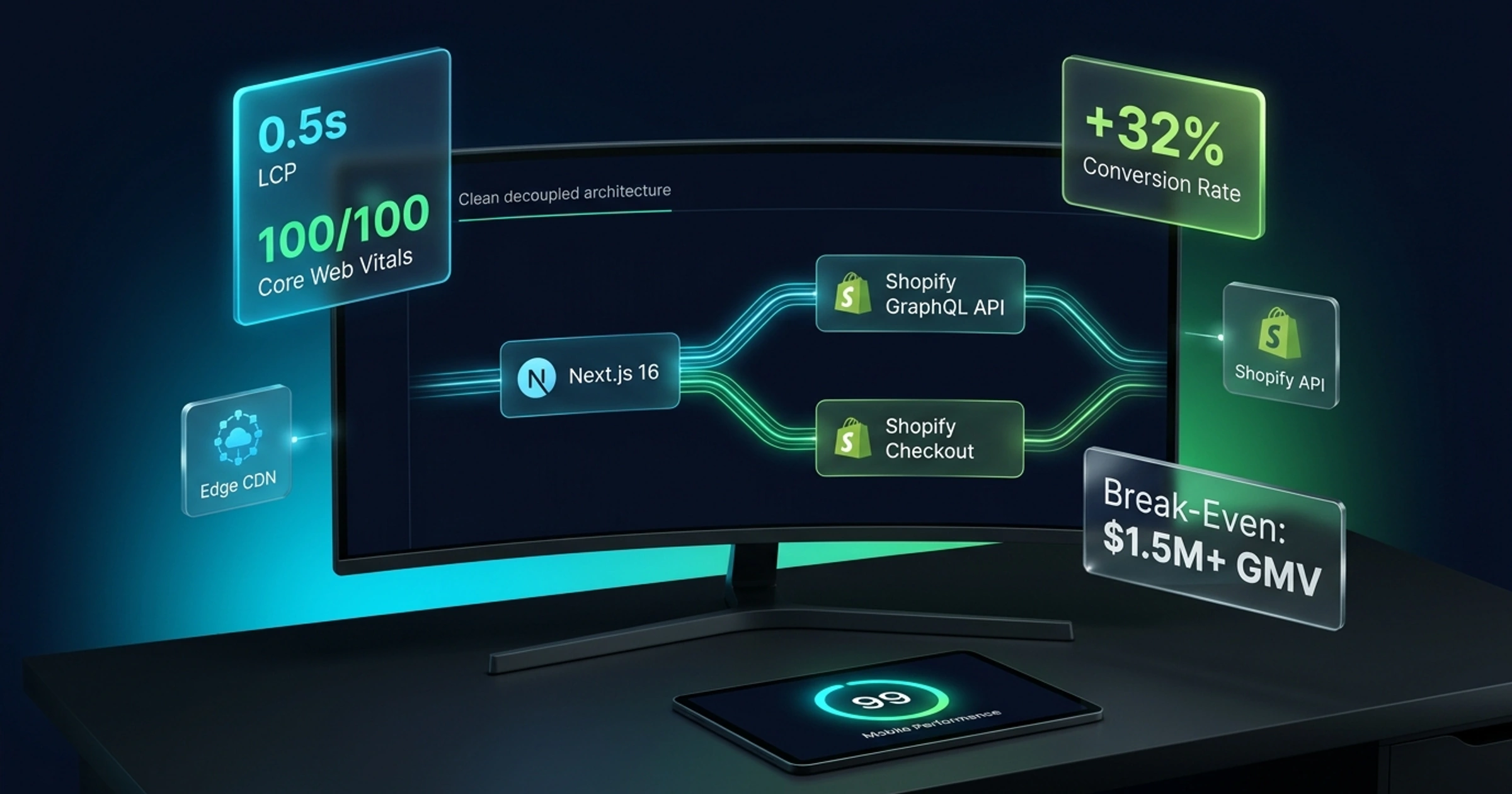
In a standard Shopify store, the platform handles everything: product data, checkout, and the storefront your customers see, built with a theme. In a headless setup, the storefront (the "head") is separated from the commerce back end. You build the customer-facing site yourself, and it communicates with Shopify through APIs.
According to Shopify's developer documentation, Shopify provides the Storefront API, the Customer Account API, and checkout. Your custom front end fetches products, manages carts, and handles customer accounts through those APIs. Products, inventory, orders, and payments still live in Shopify, so your team keeps using the same admin.
Checkout deserves a special mention. In Shopify's headless approach, checkout remains hosted by Shopify, which means you are not rebuilding the most security-sensitive part of the purchase.
Where Next.js Fits In
When evaluating headless Shopify Nextjs storefronts, Next.js is a popular choice for headless commerce because it supports server rendering, static generation, and fine control over performance and SEO.
There is some confusion around "Shopify Hydrogen vs Next.js", so here is the current picture. Hydrogen is Shopify's own stack for headless commerce, and it includes a Storefront API client, cart and product components, and request handlers for the routes a Shopify storefront needs. It was originally associated with Remix and is now documented around React Router, with deployment to Shopify's hosting platform, Oxygen.
Shopify's current Hydrogen documentation also states that Hydrogen works with frameworks that run server code, naming Next.js among them, and offers a Next.js starter template deployed to Vercel. In other words, it is no longer strictly a choice between the two. You can use Shopify's tooling inside a Next.js project, or build directly on the Storefront API.
The practical question is therefore not which brand wins, but which framework your team knows well enough to maintain, and where you want to host.
Potential Benefits of Going Headless
Design Freedom
Themes impose structure. A headless front end lets you design any layout, interaction, or content experience, from custom product configurators to editorial pages that blend content and commerce.
Performance Control
A custom build lets developers decide exactly what code loads on each page, how images are delivered, and how pages are cached. That can produce a very fast storefront. It does not do so automatically. A poorly built headless site can be slower than a well-optimized theme, so speed should be judged by results on real pages, not by the architecture.
Flexible Content
Headless stores often pair Shopify with a content system for landing pages, guides, and campaigns, giving marketing teams more layout flexibility than product pages alone.
One Front End for Many Channels
If you sell through a website, an app, and other channels, a single API-driven front end can share logic and design across them.
Technical SEO Control
You control URL structure, rendering, metadata, structured data, and sitemaps in code. For stores with complex catalogs or international setups, that control can matter. Shopify's themes already handle many SEO basics, so this is a benefit mainly when you have needs a theme cannot meet.
The Trade-Offs Nobody Should Skip
Higher Cost and Longer Build
A headless project is custom software. You pay for design, development, testing, and deployment, and the total is generally much higher than customizing a theme. Teams budgeting for custom builds can reference how architectural complexity influences software development costs and MVP pricing across custom application projects. Exact figures vary with scope, so ask for a defined proposal instead of relying on generic numbers.
More Maintenance
You now own a codebase. Dependencies need updating, security patches need applying, and Shopify's APIs change on a regular schedule. Shopify's Hydrogen documentation notes that its libraries are tied to specific Storefront API versions, which are released quarterly, so breaking changes can arrive on that cycle. A maintenance plan is not optional for a headless store, it is part of the running cost.
App Compatibility
Many Shopify apps are designed to plug into Online Store themes. On a headless storefront, those theme-based integrations do not automatically appear, so reviews, upsells, subscriptions, and loyalty features may need custom integration or API-based alternatives. List every app you rely on before you commit and check how each one works with a headless front end.
Rebuilding What Themes Give You
Cart behavior, search, filtering, discount display, internationalization, preview, redirects, and SEO tags all come built in with a theme. In a headless build, someone has to implement and test each one.
Two Systems to Understand
Merchandisers and marketers may need to learn where content lives, especially if you add a separate CMS. Without good workflows, simple edits become support requests.
Headless Shopify vs a Standard Theme
Comparing a traditional theme versus a headless Shopify Nextjs build highlights clear differences in cost and flexibility:
| Consideration | Standard Shopify theme | Headless with Next.js |
|---|---|---|
| Launch speed | Faster | Slower |
| Upfront cost | Lower | Higher |
| Design flexibility | Limited by the theme | Very high |
| Performance control | Moderate | High, if built well |
| App compatibility | Broad | Needs checking per app |
| Ongoing maintenance | Mostly handled by Shopify | Your responsibility |
| Technical skill needed | Low to moderate | High |
Neither column is "better". They suit different businesses.
When Headless Is Worth Considering
Headless tends to make sense when several of these are true:
- Your store has outgrown what themes can do, and you are paying for workarounds
- You need highly custom product experiences, such as configurators, bundles, or complex filtering
- Content and commerce are closely linked, as in editorial-led brands
- You sell across several channels or regions and want one front end
- You have, or will hire, developers to maintain it
- Revenue is large enough that performance and conversion gains justify the investment
If your store is already experiencing traffic but remains a website not generating leads or orders, solving conversion bottlenecks in checkout and navigation is often more effective than an immediate architecture rebuild.
When to Stay With a Theme
A standard theme is usually the smarter choice when:
- You are a small or early-stage store still validating products and demand
- Your catalog and requirements are fairly standard
- Your team has no developer support
- You depend heavily on theme-based apps
- Your budget is better spent on marketing, inventory, or product development
A well-chosen, well-optimized theme can serve a business for years. Going headless to follow a trend is rarely a good reason.
A Sensible Path Forward
If you are unsure, take smaller steps first:
- Audit what is slowing the current store: Heavy apps, large images, and unused scripts are often the real cause, and they are cheaper to fix than rebuilding.
- Define the business case: Identify which metrics a headless build must improve, such as conversion rate, page speed, or average order value.
- Consider a phased approach: Some stores start by building a custom landing or collection experience before moving everything.
- Plan the migration for SEO: URLs, redirects, metadata, and structured data must carry over, or rankings can suffer. Technical SEO and performance support is worth including from the start.
- Choose a team that can support the store after launch, not just build it.
If you are exploring options, the team at Wasi Dev Solutions builds custom e-commerce stores and headless storefronts, and its approach to e-commerce websites for online retailers outlines how these projects are scoped.
Conclusion
Building a headless Shopify Nextjs storefront can deliver a faster, more flexible storefront, but it trades convenience for control. You gain design freedom, performance tuning, and technical SEO control, and you take on higher cost, ongoing maintenance, and extra work around apps and features that themes provide out of the box.
It is worth it when your business has clear needs a theme cannot meet and the resources to support custom software. For many stores, a well-optimized theme is still the better investment.
Considering a Headless Storefront for Your Brand?
Get an honest assessment of your store architecture, app dependencies, performance benchmarks, and expected ROI before making the leap.
Get a headless store consultation